# ai-control
Pool and session management for [Claude Code](https://claude.com/claude-code) on macOS — a tray app with a built-in terminal. Linux and Windows integration to follow.
> All code in this project was generated by Claude (Claude Code).
 ## Purpose
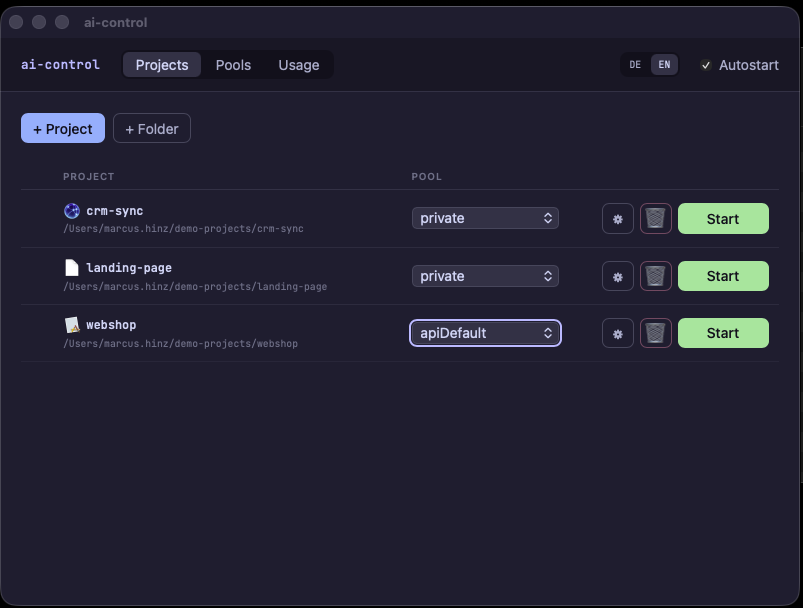
Running Claude Code with multiple accounts or credential sets means hitting the right `CLAUDE_CONFIG_DIR` (plus keychain entry) for every session. ai-control turns that into clicks:
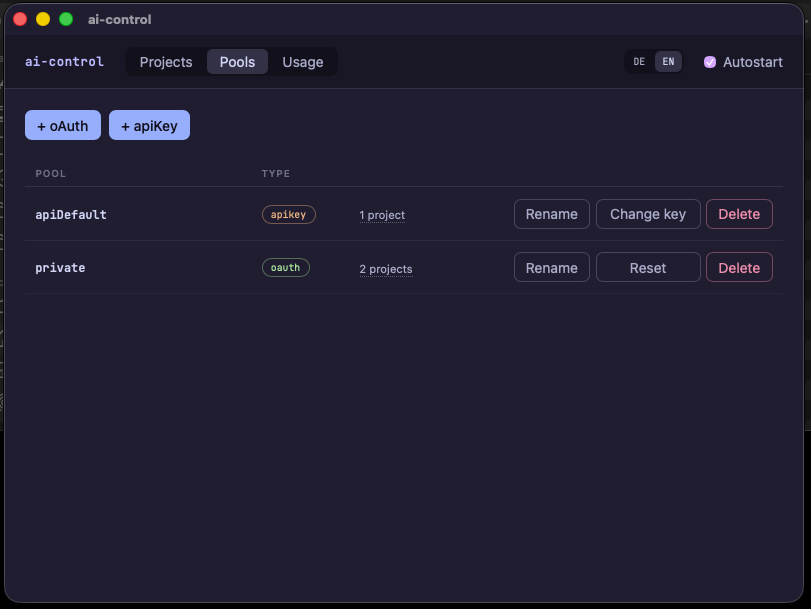
- **Pools** — named credential sets (OAuth login or API key) under `~/.config/ai-control/pools/`. Each pool is a self-contained Claude config directory with its own keychain entry.
- **Projects** — arbitrary directories, mapped through a registry (`~/.config/ai-control/projects.json`, name → path; paths under home are stored as `~/…` and therefore stable across machines). Each project is assigned a pool, plus terminal settings (theme, icon, window title).
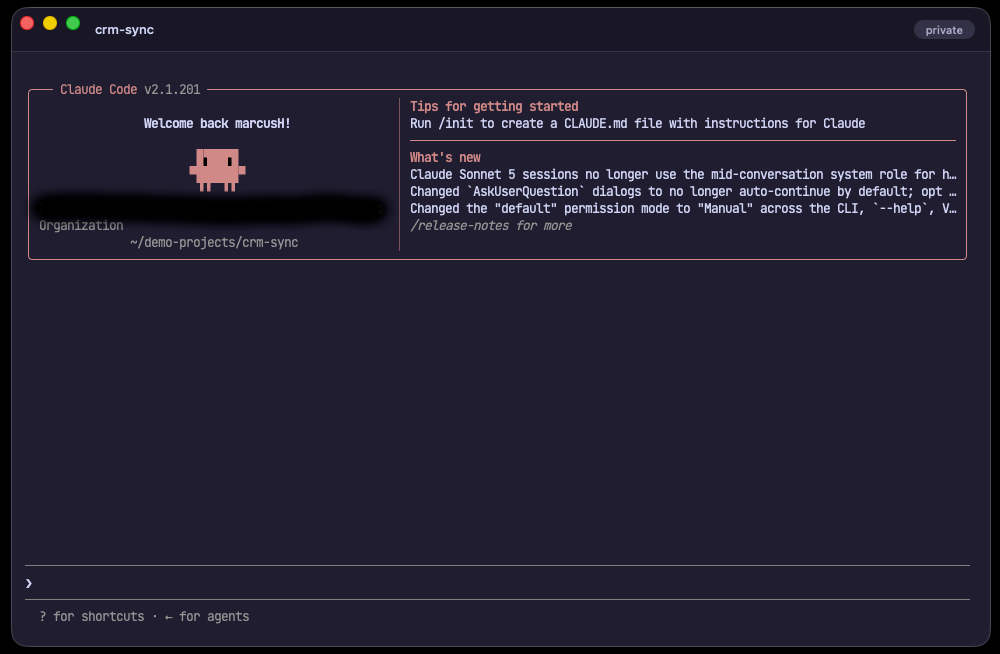
- **Sessions** — a built-in terminal per project (xterm.js + PTY) that launches Claude Code with the pool's config directory as `CLAUDE_CONFIG_DIR`. Every terminal runs as its own process with its own Dock icon and Cmd-Tab entry.
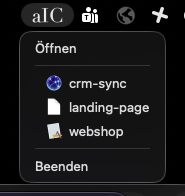
- **Tray** — the app itself is a pure menu-bar app without a Dock entry. The tray menu lists all projects with icon and status dot (green = running); clicking starts the project or brings the running terminal to the front.
- **Session watcher** — detects the end of a session by the terminal process disappearing and then (opt-in) syncs the Git repository containing the project: add → commit → pull --rebase → push.
## Screenshots
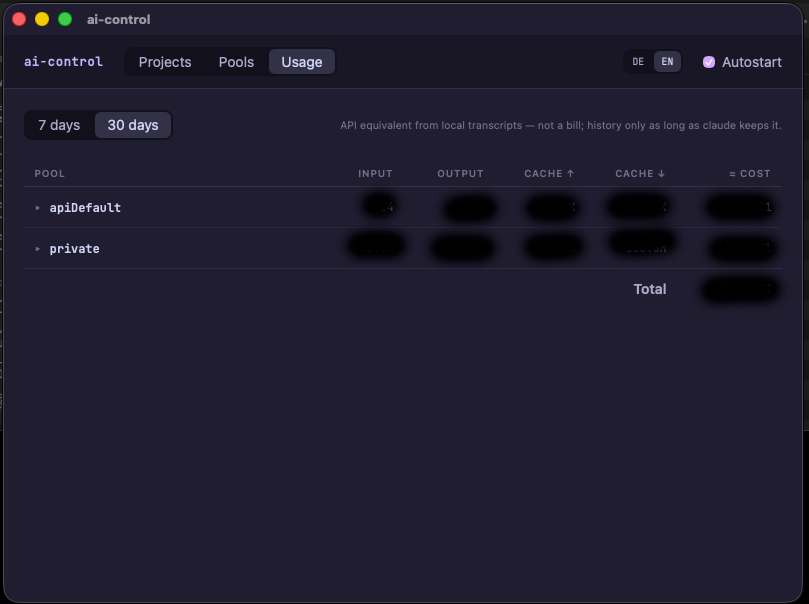
| Pools | Usage |
|---|---|
|  |  |
| Tray menu | Session terminal |
|---|---|
|  |  |
## Project layout
```
├── index.html main UI (project/pool management)
├── terminal.html terminal window (xterm.js)
├── src/ frontend: Vue 3 + TypeScript
├── src-tauri/
│ ├── src/lib.rs Tauri commands: projects, pools, keychain,
│ │ OAuth login, tray menu, session watcher
│ ├── src/terminal.rs PTY sessions (portable-pty), terminal windows,
│ │ Dock icon, focusing running terminals
│ └── icons/ app and tray icons
├── dev.sh development mode (tauri dev)
└── build.sh release build (.app bundle)
```
Two process roles from one binary:
- **Main app** (`ai-control`) — tray, main window, management, watcher.
- **Terminal process** (`ai-control --terminal `) — one window with its own PTY; launches Claude Code in the project directory with the assigned pool's `CLAUDE_CONFIG_DIR`.
Running projects are detected through their terminal processes (`pgrep` for `--terminal `), without a state file.
## Tooling
| Area | Stack |
|-----------|-------|
| Shell | Tauri 2 (Rust) |
| Frontend | Vue 3, TypeScript, Vite |
| Terminal | xterm.js, portable-pty |
| macOS | objc2 / objc2-app-kit (Dock icon, window focus, tray) |
| Secrets | keyring (macOS Keychain) |
## Installation
Prebuilt DMGs are attached to the releases. The bundles are **not signed or notarized** — an Apple Developer ID costs €99/year, which this project doesn't have (if you'd like to change that, sponsoring is welcome). macOS therefore quarantines the download; after copying `ai-control.app` to `~/Applications`, clear it with:
```sh
xattr -d com.apple.quarantine ~/Applications/ai-control.app
```
Or avoid the topic entirely and build from source (below) — self-built apps aren't quarantined.
## Development
```sh
./dev.sh # tauri dev with hot reload
./build.sh # release build; bundle lands in src-tauri/target/release/bundle/macos.noindex/
```
`build.sh` moves the bundle into a `.noindex` directory and unregisters it from Launch Services so Spotlight only finds the installed copy. Install by copying `ai-control.app` to `~/Applications`.
Prerequisites: Rust (stable), Node.js/npm, macOS. `dev.sh`/`build.sh` expect `CARGO_HOME`/`RUSTUP_HOME` under `~/tools/` — adjust the two exports in the scripts for a standard installation.
## Configuration layout
```
~/.config/ai-control/
├── settings.json app settings (see below)
├── projects.json project registry: name → directory
└── pools// one Claude config directory per pool
└── pool.json name + credential type
/ any path, mapped via the registry
├── .claude/ Claude Code project configuration
└── ai-control.json pool assignment + terminal settings
```
### settings.json
| Key | Default | Meaning |
|--------------------|----------|---------|
| `claudeCommand` | `claude` | Command launched in the project terminal (via `zsh -ic`, so your `.zshrc` PATH applies). |
| `syncOnSessionEnd` | `false` | After a session ends, commit and push the Git repository containing the project. |
| `poolSyncDir` | unset | Directory to sync pool runtime data into (session transcripts, todos, prompt history — what `/resume` needs). When set, a pool's runtime files are replaced by symlinks into `/`, so sessions travel with however that directory is synced (git, Syncthing, …). Unset: everything stays local in the pool directory. |
## Claude and Anthropic licensing
ai-control is pool management only — it does not change, extend, or circumvent Anthropic's licensing in any way. Using Claude Code through ai-control is subject to the same Anthropic terms as running it directly.
For that reason the app stores no OAuth tokens itself: with an OAuth pool, the first session of a project on that pool goes through the regular Anthropic login (`/login`, browser, against your subscription), run by Claude Code itself. Credentials live where Claude Code puts them — in the macOS keychain, one entry per pool.
API keys go into the keychain as well (one entry per pool). Only when no keychain/keyring is available does the app offer — after an explicit confirmation — to store the key as a file in the pool directory (mode 0600). We strongly advise against that fallback: an API key on disk is readable by every process running as your user. Use the keychain.
## License
[MIT](LICENSE)
## Purpose
Running Claude Code with multiple accounts or credential sets means hitting the right `CLAUDE_CONFIG_DIR` (plus keychain entry) for every session. ai-control turns that into clicks:
- **Pools** — named credential sets (OAuth login or API key) under `~/.config/ai-control/pools/`. Each pool is a self-contained Claude config directory with its own keychain entry.
- **Projects** — arbitrary directories, mapped through a registry (`~/.config/ai-control/projects.json`, name → path; paths under home are stored as `~/…` and therefore stable across machines). Each project is assigned a pool, plus terminal settings (theme, icon, window title).
- **Sessions** — a built-in terminal per project (xterm.js + PTY) that launches Claude Code with the pool's config directory as `CLAUDE_CONFIG_DIR`. Every terminal runs as its own process with its own Dock icon and Cmd-Tab entry.
- **Tray** — the app itself is a pure menu-bar app without a Dock entry. The tray menu lists all projects with icon and status dot (green = running); clicking starts the project or brings the running terminal to the front.
- **Session watcher** — detects the end of a session by the terminal process disappearing and then (opt-in) syncs the Git repository containing the project: add → commit → pull --rebase → push.
## Screenshots
| Pools | Usage |
|---|---|
|  |  |
| Tray menu | Session terminal |
|---|---|
|  |  |
## Project layout
```
├── index.html main UI (project/pool management)
├── terminal.html terminal window (xterm.js)
├── src/ frontend: Vue 3 + TypeScript
├── src-tauri/
│ ├── src/lib.rs Tauri commands: projects, pools, keychain,
│ │ OAuth login, tray menu, session watcher
│ ├── src/terminal.rs PTY sessions (portable-pty), terminal windows,
│ │ Dock icon, focusing running terminals
│ └── icons/ app and tray icons
├── dev.sh development mode (tauri dev)
└── build.sh release build (.app bundle)
```
Two process roles from one binary:
- **Main app** (`ai-control`) — tray, main window, management, watcher.
- **Terminal process** (`ai-control --terminal `) — one window with its own PTY; launches Claude Code in the project directory with the assigned pool's `CLAUDE_CONFIG_DIR`.
Running projects are detected through their terminal processes (`pgrep` for `--terminal `), without a state file.
## Tooling
| Area | Stack |
|-----------|-------|
| Shell | Tauri 2 (Rust) |
| Frontend | Vue 3, TypeScript, Vite |
| Terminal | xterm.js, portable-pty |
| macOS | objc2 / objc2-app-kit (Dock icon, window focus, tray) |
| Secrets | keyring (macOS Keychain) |
## Installation
Prebuilt DMGs are attached to the releases. The bundles are **not signed or notarized** — an Apple Developer ID costs €99/year, which this project doesn't have (if you'd like to change that, sponsoring is welcome). macOS therefore quarantines the download; after copying `ai-control.app` to `~/Applications`, clear it with:
```sh
xattr -d com.apple.quarantine ~/Applications/ai-control.app
```
Or avoid the topic entirely and build from source (below) — self-built apps aren't quarantined.
## Development
```sh
./dev.sh # tauri dev with hot reload
./build.sh # release build; bundle lands in src-tauri/target/release/bundle/macos.noindex/
```
`build.sh` moves the bundle into a `.noindex` directory and unregisters it from Launch Services so Spotlight only finds the installed copy. Install by copying `ai-control.app` to `~/Applications`.
Prerequisites: Rust (stable), Node.js/npm, macOS. `dev.sh`/`build.sh` expect `CARGO_HOME`/`RUSTUP_HOME` under `~/tools/` — adjust the two exports in the scripts for a standard installation.
## Configuration layout
```
~/.config/ai-control/
├── settings.json app settings (see below)
├── projects.json project registry: name → directory
└── pools// one Claude config directory per pool
└── pool.json name + credential type
/ any path, mapped via the registry
├── .claude/ Claude Code project configuration
└── ai-control.json pool assignment + terminal settings
```
### settings.json
| Key | Default | Meaning |
|--------------------|----------|---------|
| `claudeCommand` | `claude` | Command launched in the project terminal (via `zsh -ic`, so your `.zshrc` PATH applies). |
| `syncOnSessionEnd` | `false` | After a session ends, commit and push the Git repository containing the project. |
| `poolSyncDir` | unset | Directory to sync pool runtime data into (session transcripts, todos, prompt history — what `/resume` needs). When set, a pool's runtime files are replaced by symlinks into `/`, so sessions travel with however that directory is synced (git, Syncthing, …). Unset: everything stays local in the pool directory. |
## Claude and Anthropic licensing
ai-control is pool management only — it does not change, extend, or circumvent Anthropic's licensing in any way. Using Claude Code through ai-control is subject to the same Anthropic terms as running it directly.
For that reason the app stores no OAuth tokens itself: with an OAuth pool, the first session of a project on that pool goes through the regular Anthropic login (`/login`, browser, against your subscription), run by Claude Code itself. Credentials live where Claude Code puts them — in the macOS keychain, one entry per pool.
API keys go into the keychain as well (one entry per pool). Only when no keychain/keyring is available does the app offer — after an explicit confirmation — to store the key as a file in the pool directory (mode 0600). We strongly advise against that fallback: an API key on disk is readable by every process running as your user. Use the keychain.
## License
[MIT](LICENSE)